Adjusting a Sludge Gate Proximity Sensor
Please follow the steps below to Adjust a sludge gate proximity sensor.
Personal Protective Equipment

Timeframe
- Estimated total of 0.25 man hours to complete
Procedure
- Switch biodryer into “HAND” mode
Using the switch on the electrical panel, turn the switch into “HAND” position. (see fig 1)
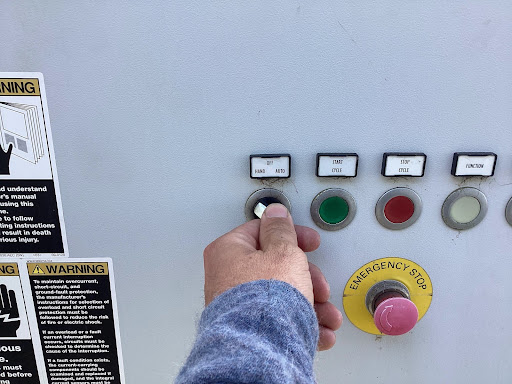
Figure 1
- Rotate biodryer into position
Hold down the green “START CYCLE” button to rotate the biodryer until the sludge gate is within range to perform the task. (see fig 2)
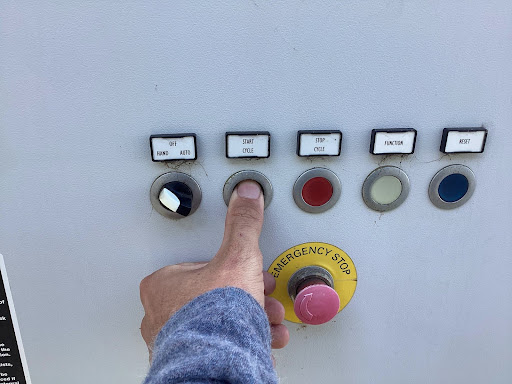
Figure 2
No Alarm & No Rotation? Potential Issue (Click to expand/collapse)
In the event that the biodryer does NOT sound the alarm and rotate in hand mode, this means the proximity sensor in the closed position is not working properly (sensor closest to the respective gate). In this case, to rotate the dryer, you must access the Biodryers HMI panel. In the “Manual Operations” menu, locate the “Force Manual Roatation” button and activate it. Once active, simultaneously hold down the green “start cycle” button and the white “function” button. (see fig 3)
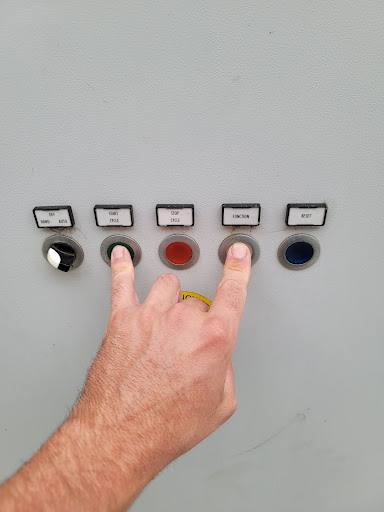
Figure 3
-
Manually open sludge gate
By hand, manually open the gate you’re working on by pushing the gate towards the piston housing. Make sure it is all the way open. -
Remove proximity sensor
Cut the zip-ties fixing it to the pneumatic hoses. Follow the cable through the necessary cable ducts and remove any cable duct cover to allow for an easy cable removal. Once the cable has been traced back to the respective electrical box on the body of the dryer, remove the electrical box cover using a phillips head screwdriver (4) screws total. Trace the cable to the respective Plexus pod channel. Using a small flathead screwdriver loosen the set screws fastening the sensor cables to the terminals. Remove the cable gland on the outside of the box and remove the sensor. (see fig 4)
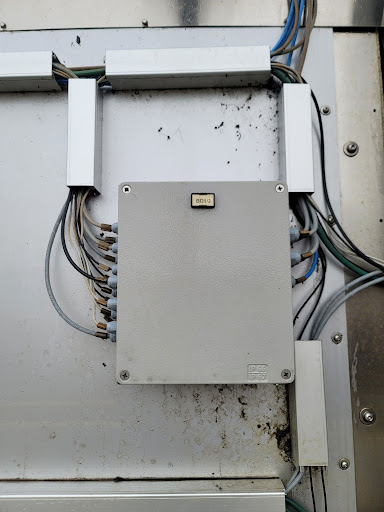
Figure 4
-
Install new proximity sensor
Using the new CSH-233 Camozzi sensor. Start by loosely fixing the sensor head into position on the piston channel. Fasten the sensor cable onto the pneumatic hoses. Run the cable back through the cable ducts reinstalling the cable duct covers along the way to hold the sensor cable into position. Reusing the old cable gland, fasten the new sensor cable onto the electrical box. Cut the excess wire to the desired length in the electrical box. Strip the wires back and apply the cable ferrules. Fasten the cables to the same terminals as the old cables. Put the electrical box cover back in place and fasten it securely to the box -
Remove LOTO
Re-energize the biodryer by turning the main switch on the electrical panel to the “ON” position. Reset the 24v components by pressing the blue button until the light is no longer illuminated.
If the sensor you are replacing is the sensor responsible for the gate currently in the “closed” position, disregard step #7.
- Resupply pneumatic air system
Push down and rotate red OFF/ON knob counterclockwise from the “EXH” to the “SUP” position to re-pressurize the pneumatic lines.
Once the air system has been pressurized, the opened gate you were working on will close. Be sure all tools and personnel are clear of the gate's range of motion.
- Find the correct position
Slowly slide the sensor back and forth in the channel until you see the amber feedback light illuminated on the sensor head. Once the amber light is illuminated, tighten the expansion fitting set screw on the tip of the sensor head. (if replacing the “open” position sensor, make sure the gate is in the fully opened position using the HMI panel.)
Figures
Figure #1
Figure #2
Figure #3
Figure #4